


.png)

What makes tracking every conversion on your American Shopify or Magento store so challenging? Marketers and digital agencies in North America know that browser restrictions and ad blockers often leave gaps in Facebook reporting. Precise, compliant data is harder to achieve as privacy-focused settings disrupt pixel tracking. Discover how server-side tagging solutions can overcome these gaps, letting you capture accurate user behaviour, reach the right customers, and drive smarter campaigns while meeting strict privacy requirements.
Table of Contents
- What Facebook Conversion API Actually Does
- Server-Side Tagging Versus Pixel Tracking
- Key Features and Integration Methods
- GDPR, Consent and Data Compliance
- Best Practices and Common Setup Mistakes
Key Takeaways
| Point | Details |
|---|---|
| Reliability of Data | The Facebook Conversion API provides a more reliable method of tracking conversions by sending data directly from your server, bypassing issues caused by browser settings or ad blockers. |
| Customer Insights | Personal information like email addresses linked to conversions helps refine advertising targeting and improves campaign effectiveness over time. |
| Compliance with GDPR | Implementing robust consent management systems is crucial for compliance with GDPR when using the Conversion API, especially for businesses operating within Europe. |
| Phased Implementation | Start by focusing on your highest-value conversion events to simplify setup and ensure data accuracy before expanding to additional tracking. |
What Facebook Conversion API Actually Does
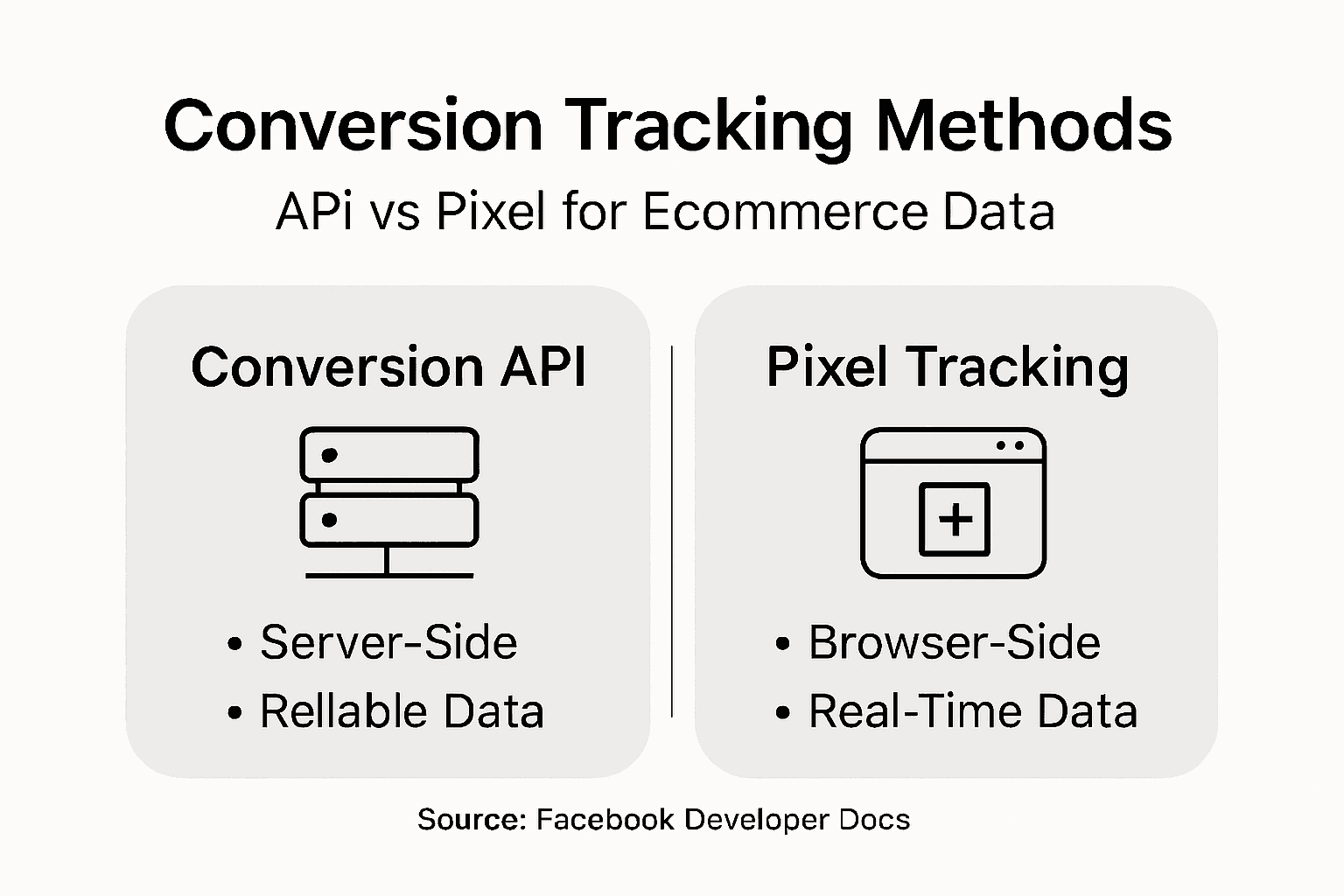
Facebook Conversion API bridges a critical gap in your e-commerce tracking setup. Unlike the pixel, which relies on your customer’s browser to send data back to Facebook, the Conversion API operates on your server. This means you send conversion information directly from your backend, creating a more reliable and complete picture of customer behaviour.
Here’s the practical difference: when a customer completes a purchase on your Shopify store, the pixel waits for their browser to load Facebook’s tracking script. If they’ve got an ad blocker, privacy extensions, or slow internet, that conversion might never reach Facebook. With the Conversion API, your server records that same purchase and sends it directly to Facebook’s systems. Your data arrives regardless of what’s happening on the customer’s device.
The API captures what traditional pixels miss. It records purchase details, product information, and customer data with precision that client-side tracking simply cannot achieve. When implementing conversion tracking methods, businesses see they can now track customers who use privacy-focused browsers, those with tracking restrictions enabled, and visitors browsing in incognito mode.
One powerful feature is event matching. You can send customer information like email addresses and phone numbers alongside conversion events. Facebook matches this data to user accounts securely, allowing your ads to reach the right people more accurately. This creates a feedback loop where Facebook learns which types of customers convert, refining your targeting automatically.
The Conversion API also enables offline conversion tracking. Sell products in-store or through phone calls? You can send those conversions to Facebook after they happen, building a complete picture of your business performance across all channels.
Pro tip: Start by tracking your highest-value conversions first, such as completed purchases or subscription sign-ups, rather than every single interaction. This reduces implementation complexity and lets you measure impact quickly before expanding to additional events.
Server-Side Tagging Versus Pixel Tracking
Pixel tracking and server-side tagging are fundamentally different approaches to the same problem: understanding what your customers do. The pixel is the traditional method. It’s a small piece of code you embed on your website that fires when certain events happen, sending data back to Facebook through the visitor’s browser. Server-side tagging works differently. Your server sends conversion data directly to Facebook, bypassing the customer’s device entirely.
The browser creates friction for pixel tracking. Ad blockers, privacy settings, and cookie restrictions all interfere with data collection. When a customer has their browser set to restrict third-party tracking or uses an ad blocker, the pixel often fails silently. They completed the purchase, but Facebook never heard about it. Server-side tagging eliminates this problem because your backend communicates directly with Facebook’s servers. The customer’s browser settings become irrelevant.
Matching rates reveal important differences between these methods. Server-side tracking matches between 34% and 51% of site visitors to user profiles, whilst pixel tracking can achieve comparable or sometimes higher accuracy in optimal conditions. However, pixel accuracy drops dramatically when customers use privacy-focused browsers or privacy extensions. Server-side tracking maintains consistency regardless of privacy settings.

Data precision tells another story. Pixel tracking captures exact customer actions in real-time with minimal latency. Your team sees immediate feedback when conversions happen. Server-side tracking introduces slight delays as data travels from your servers to Facebook, but the trade-off is reliability. You gain certainty that Facebook received the data.
Most successful e-commerce operations use both methods together. The pixel handles real-time tracking for quick optimisation feedback, whilst server-side tagging captures conversions that pixels miss. This hybrid approach gives you complete visibility into customer behaviour across all devices and browser configurations.
Here is a comparison of Pixel Tracking versus Server-Side Tagging for e-commerce businesses:
| Aspect | Pixel Tracking | Server-Side Tagging |
|---|---|---|
| Data Reliability | Easily blocked by browser privacy tools | Consistent regardless of user browser settings |
| Latency | Data arrives instantly | May have a short processing delay |
| User Identification | Lower with ad blockers or incognito mode | Higher matching, even with privacy restrictions |
| Implementation | Simple for most platforms | Requires backend development or platform support |
Pro tip: Implement server-side tagging first for your core conversions like purchases, then layer pixel tracking on top once your backend infrastructure is stable. This prioritisation ensures you capture critical data even if pixel implementation has initial issues.
Key Features and Integration Methods
Facebook Conversion API brings several powerful capabilities that transform how you track customer behaviour. The API supports both standard e-commerce events and custom events tailored to your business logic. Standard events include purchases, add-to-cart actions, and checkouts. Custom events let you track anything specific to your operation, whether that’s newsletter signups, consultation bookings, or product wishlists.
One standout feature is customer data enrichment. You can send information like email addresses, phone numbers, and customer IDs alongside conversion events. Facebook securely matches this data to user accounts, improving ad targeting precision. This creates a feedback loop where your campaigns become more intelligent over time, reaching customers most likely to convert based on their actual behaviour patterns.
Integration methods vary depending on your setup. Most e-commerce platforms offer built-in integration partners that connect directly to Facebook without requiring custom development. If you use Shopify, WooCommerce, or Magento, integration often means enabling a connection and authenticating your Facebook account. For custom setups, manual API calls can be developed by your development team.
Offline event tracking extends the API’s reach beyond your website. Sell in physical stores or handle orders through phone calls? You can upload these conversions retroactively to Facebook. This unified approach means your ad targeting reflects your complete business performance, not just online activity. Retailers and service-based businesses gain massive advantage here.
CRM linking deserves special attention. Connect your customer relationship management system directly to Facebook. When a sales team member closes a deal in your CRM, that conversion automatically flows to Facebook. No manual exports. No delays. Your ad system instantly learns from every sale happening anywhere in your business.
App events round out the picture. Promote a mobile app? The API tracks installations, in-app purchases, and custom actions within your application, sending this data to Facebook for comprehensive cross-channel tracking.
Below is a summary of common Facebook Conversion API integration methods and their typical business uses:
| Integration Method | Suitable For | Technical Effort | Example Use Case |
|---|---|---|---|
| Built-in platform connector | Shopify, WooCommerce, Magento | Low | Quick setup for online retailers |
| Manual API integration | Custom-built websites | High | Tailored tracking for unique workflows |
| CRM direct linking | Sales teams using CRMs | Moderate | Syncing in-store or offline sales |
| App event tracking | Mobile app businesses | Moderate | Tracking app installs and purchases |
Pro tip: Start with built-in platform integration if available rather than custom API development. This reduces implementation time from weeks to days and minimises ongoing maintenance complexity.
GDPR, Consent and Data Compliance
GDPR compliance with Facebook Conversion API isn’t optional. If you operate in or serve customers within Europe, the General Data Protection Regulation applies to your tracking. The challenge lies in collecting the customer data that makes the API powerful whilst respecting strict consent requirements. This tension shapes how you implement the system.
Consent must meet specific criteria. It needs to be freely given, specific, informed, and unambiguous. A pre-ticked checkbox doesn’t cut it. Users must actively opt in to data collection, understanding exactly what data you’re collecting and why. Granular consent management means separating different purposes. Someone might consent to marketing emails but not pixel tracking. Your system must respect these distinctions.
Documentation becomes your protection. Record what data you requested, store consent timestamps, note the consent version, and link everything to the user ID. When regulators ask questions, you have evidence of compliance. This audit trail demonstrates that you acted responsibly. Many businesses get caught because they can’t prove consent existed.
Meta Consent Mode provides a practical framework. It allows Facebook Pixel and Conversions API to activate only when users grant consent. When consent is denied, the system switches to privacy preserving measurement techniques, maintaining conversion tracking capability for campaign optimisation without violating regulations. This balanced approach lets you measure results while respecting privacy choices.
Data minimisation principle means collecting only what you actually need. If you don’t require phone numbers for conversions, don’t request them. Smaller datasets reduce risk and demonstrate compliance commitment. Your CRM might store extensive customer records, but you send only essential information to Facebook.
Privacy by design isn’t a checkbox. Build consent management into your technical architecture from the start, not bolted on afterwards. Make it easy for users to withdraw consent at any time. Provide clear interfaces for managing their data rights. These practices transform compliance from burden to competitive advantage.
Pro tip: Implement consent management before scaling ad spend, not after regulators contact you. The cost of retrofitting compliance dramatically exceeds building it correctly initially.
Best Practices and Common Setup Mistakes
Getting Conversion API right from the start saves months of troubleshooting later. The most successful implementations follow a deliberate sequence rather than rushing to activate everything simultaneously. Start with your single most important conversion event, typically a purchase or signup. Let it run for two weeks, verify the data accuracy, then expand to additional events. This phased approach reveals problems early when they’re easiest to fix.
Event naming discipline matters more than most teams realise. Use consistent, descriptive event names across all implementations. If you name a purchase event “Purchase” on your website but “BuyNow” in your mobile app, Facebook treats them as separate events. This fragmentation destroys your ability to optimise campaigns effectively. Establish naming conventions before implementation and document them clearly.
Test everything before going live with real traffic. Use test events in Facebook’s Event Manager to verify that data arrives correctly, that values match what you expect, and that customer information matches properly. Many teams skip this step and discover months later that they’ve been collecting incorrect data. Testing takes a few hours and prevents months of wasted ad spend.
One critical mistake is overlooking common tracking errors that silently reduce conversion accuracy. Double-check that you’re not sending duplicate events to Facebook from multiple sources. Verify that your event timestamps align with actual customer actions, not server processing time. Confirm that user identification data matches between systems.
Server-side implementation introduces latency. Your backend needs several seconds to process a customer action and send it to Facebook. This delay means your real-time dashboards show events later than they actually occurred. Build this expectation into your reporting timeline. Don’t panic when dashboard data lags behind actual conversions.
Frequently review your event performance. Low volume for an event you expected to track heavily suggests technical issues. Mismatched product data between your feed and API calls confuses Facebook’s system. Regular audits catch these problems before they become expensive.
Pro tip: Create a dedicated Slack channel or tracking spreadsheet documenting every event you send to Facebook, including its purpose, expected volume, and when it was implemented, making troubleshooting significantly faster when issues arise.
Unlock Accurate Conversion Tracking with AdPage
If you struggle with data loss caused by browser blockers, privacy settings, and unreliable pixel tracking, you are not alone. The article highlights the critical need for server-side tagging and Facebook Conversion API to capture 100% of your ecommerce conversions—including purchases from every channel such as offline sales and CRM events. Your biggest pain points like ensuring data reliability, GDPR compliance, and maintaining event matching accuracy can become effortless with the right tools.
AdPage specialises in solving these exact challenges for marketers and agencies by offering a platform built for precise conversion tracking. With seamless integration to Shopify, WooCommerce, and Magento, plus built-in consent management to keep you GDPR compliant, you will reclaim full control over your data. Don’t risk losing revenue due to incomplete tracking or inconsistent user identification.

Take the first step towards transforming your ecommerce data strategy today. Explore how AdPage empowers your marketing efforts with server-side tagging solutions, GDPR-friendly tracking, and detailed reporting that actually works. Visit AdPage now and start optimising your conversion rates with confidence.
Frequently Asked Questions
What is the Facebook Conversion API?
The Facebook Conversion API is a server-side solution that allows businesses to send conversion information directly from their backend systems to Facebook, improving the reliability of tracking customer behaviour compared to traditional pixel tracking.
How does the Conversion API improve data accuracy for e-commerce businesses?
The Conversion API captures data that traditional pixels may miss due to ad blockers or browser privacy settings, resulting in more accurate tracking of conversions, including purchases and user interactions.
What are the key differences between pixel tracking and server-side tagging?
Pixel tracking relies on the user’s browser to send data back to Facebook, which can be affected by privacy tools. In contrast, server-side tagging sends data directly from your server to Facebook, ensuring more consistent tracking regardless of user settings.
How can I ensure GDPR compliance when using the Conversion API?
To comply with GDPR, you must obtain explicit consent from users for data collection, manage consent effectively, and ensure that you only collect essential data while maintaining a clear audit trail of user consent.