


.png)

Most British businesses still underestimate the impact that a single misplaced tracking tag can have on their digital strategy. With online privacy rules changing rapidly across Europe, understanding Google Tag Manager identifiers is no longer optional. This guide breaks down how unique identifiers work, why they matter for British marketers, and how you can use them to keep your analytics accurate while staying ahead of compliance demands.
Table of Contents
- Defining The Google Tag Manager Identifier
- Types Of Identifiers And Key Differences
- How Identifiers Enhance Server-Side Tagging
- Integrating With E-Commerce Platforms Safely
- Mitigating Data Loss And Ensuring Compliance
Key Takeaways
| Point | Details |
|---|---|
| Google Tag Manager Functions as a Centralised Platform | It consolidates various tracking tags into one interface, simplifying digital analytics implementation. |
| Understanding Different Identifier Types is Crucial | Client IDs, User IDs, and Cookies serve different purposes in user tracking; marketers must navigate privacy implications carefully. |
| Server-Side Tagging Enhances Security and Performance | It centralises identifier processing and reduces risks of data interception while improving analytics reliability. |
| Effective Consent Management is Key for E-Commerce | Clear interfaces that explain data collection practices foster user trust and ensure compliance with privacy regulations. |
Defining The Google Tag Manager Identifier
A Google Tag Manager Identifier represents a unique tracking code system designed to help businesses manage digital marketing tags efficiently. Tag management systems like Google Tag Manager enable marketers to deploy and update tracking codes without continuously modifying website source code, streamlining the complex process of digital analytics implementation.
At its core, the Google Tag Manager Identifier functions as a centralised platform that allows users to consolidate various tracking tags from different marketing and analytics platforms into one manageable interface. Google Tag Manager provides a comprehensive tag management system that supports JavaScript and HTML tags, giving digital marketing professionals unprecedented control over their tracking infrastructure. This approach eliminates the need for manual code interventions, reducing potential errors and accelerating deployment times.
The identifier works by generating a unique container snippet - essentially a piece of JavaScript code - that gets installed across all website pages. This container acts as a universal hub where marketing tags can be added, modified, or removed without touching the underlying website architecture. Marketers can configure complex tracking scenarios, set up triggers that activate specific tags based on user interactions, and manage variables that define how tags behave, all through an intuitive web interface.
Pro Tip: Tag Management Strategy: Configure your Google Tag Manager container with precise, granular triggers to ensure you capture only the most relevant user interaction data, minimising unnecessary tracking overhead and improving overall analytics performance.
Types Of Identifiers And Key Differences
In the realm of digital tracking, Google Tag Manager employs several distinct identifier types that serve unique purposes in capturing and analysing user interactions. Each identifier type presents specific characteristics for tracking user behaviour, enabling marketers to gain comprehensive insights into website performance and user engagement.
The primary identifier categories include Client IDs, User IDs, and Cookies. Client IDs are automatically generated unique identifiers assigned by Google Analytics to each individual browser or device, providing anonymised tracking capabilities. User IDs, conversely, are manually configured identifiers that allow businesses to track specific users across multiple devices and sessions, offering more personalised tracking mechanisms. Research examining privacy implications of tracking methods suggests these identifiers carry significant data collection nuances that marketers must carefully navigate.
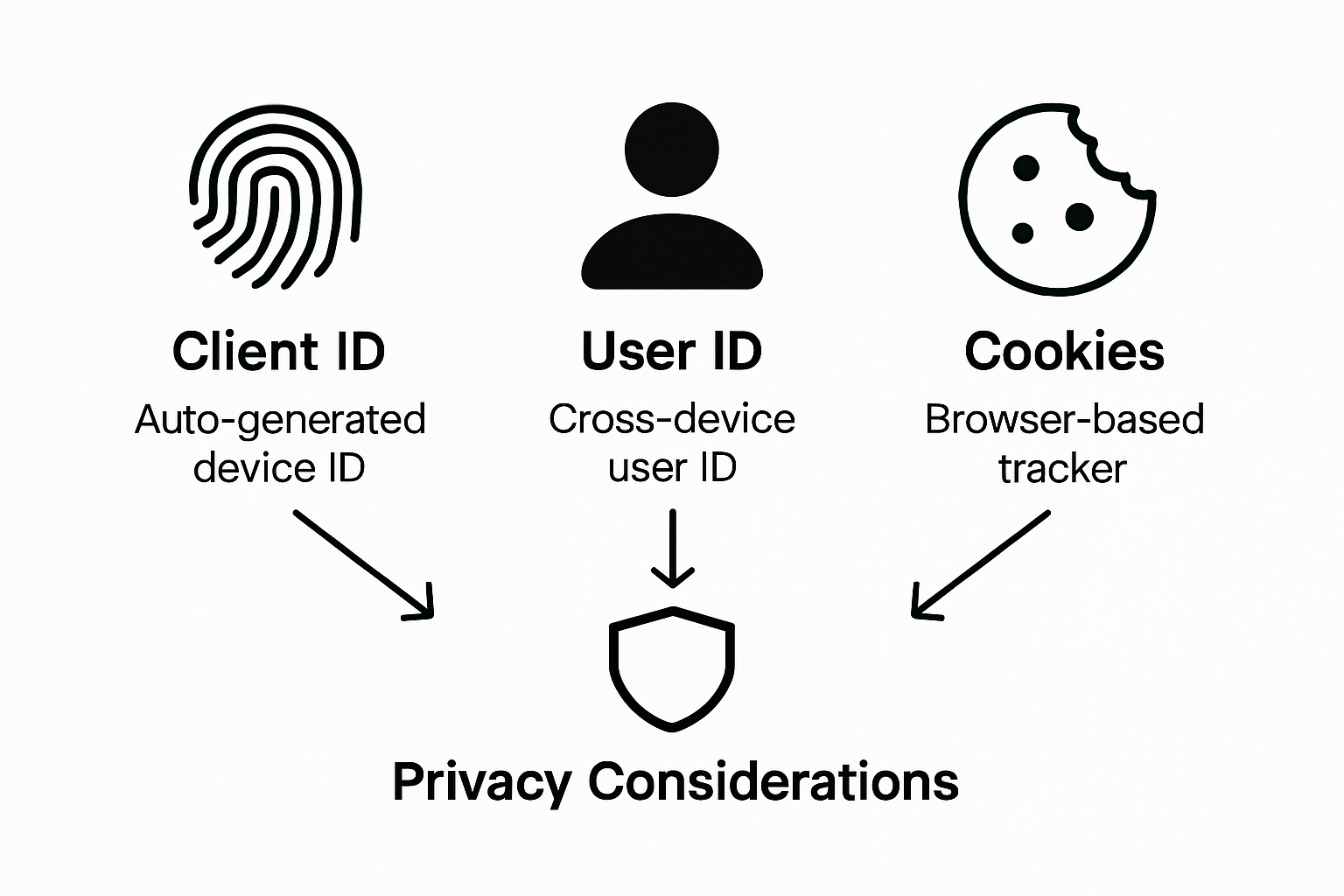
Cookies represent another critical identifier type, functioning as small text files stored on a user’s browser to maintain session information and track browsing behaviour. These identifiers can be categorised into different subtypes: session cookies that expire after browser closure, persistent cookies that remain for predefined periods, and first-party versus third-party cookies with varying tracking permissions. Each cookie type offers distinct advantages in understanding user interactions, though privacy regulations increasingly demand transparent consent mechanisms.
The following table compares the main identifier types used within Google Tag Manager environments:
| Identifier Type | How It Is Created | Typical Use Case | Privacy Consideration |
|---|---|---|---|
| Client ID | Generated automatically by Analytics | Tracks browsers or devices anonymously | Limited cross-device tracking, generally privacy-friendly |
| User ID | Assigned manually by the business | Tracks a single user across devices and sessions | Requires user authentication, higher privacy impact |
| Cookie | Created and stored by websites | Maintains sessions, stores preferences and tracking data | Subject to consent requirements, affected by regulations |
Pro Tip: Identifier Management: Implement a comprehensive consent management strategy that clearly explains each identifier’s purpose, ensuring transparent user communication and maintaining compliance with evolving data protection regulations.
How Identifiers Enhance Server-Side Tagging
Server-side tagging represents a sophisticated approach to digital tracking that fundamentally transforms how user identifiers are managed and processed. Processing data on the server introduces enhanced security and control mechanisms that significantly improve the reliability and privacy of digital tracking infrastructure.

The primary advantage of server-side tagging lies in its ability to centralize and secure identifier processing. Instead of exposing sensitive tracking information through client-side scripts, server-side environments provide a controlled mechanism for managing user identifiers that minimises potential data vulnerabilities. This approach allows businesses to execute complex tracking logic away from user browsers, reducing the risk of data interception and improving overall performance.
By leveraging server-side tagging, organisations can implement more sophisticated identifier management strategies. Client IDs and User IDs can be processed through secure server environments, enabling more granular control over data collection, transformation, and transmission. This method effectively mitigates common tracking challenges such as ad-blocker interference, browser privacy restrictions, and potential data leakage, ultimately providing marketers with more accurate and comprehensive user interaction insights.
Here is a summary of server-side tagging benefits for improving data security and analytics reliability:
| Benefit | Explanation | Business Outcome |
|---|---|---|
| Enhanced Privacy | Sensitive data handled on secure servers | Reduced risk of data leaks |
| Improved Accuracy | Less affected by ad blockers or browser limits | More reliable analytics data |
| Greater Control | Custom data processing and filtering | Tailored tracking to business needs |
| Compliance Support | Easier integration with consent management | Simpler adherence to regulations |
Pro Tip: Identifier Security: Implement robust server-side tagging protocols that anonymise personal identifiers and restrict data access, ensuring maximum user privacy while maintaining precise tracking capabilities.
Integrating With E-Commerce Platforms Safely
Integrating Google Tag Manager with e-commerce platforms requires a strategic approach that prioritises data security and user privacy. Implementing consent mode ensures dynamic adjustment of tracking mechanisms based on user preferences, creating a robust framework for responsible data collection.
The core of safe e-commerce platform integration lies in establishing secure server-to-server connections that minimise client-side data exposure. Server-side integration techniques reduce reliance on browser-based scripts, enabling businesses to manage tracking data through controlled, secure server environments. This approach provides multiple layers of protection, including enhanced data privacy, improved performance, and greater resilience against tracking disruptions.
Successful integration demands meticulous configuration of tracking parameters, consent management, and data transmission protocols. E-commerce businesses must implement granular consent mechanisms that allow users to understand and control their data sharing preferences. By creating transparent tracking workflows that respect user autonomy, organisations can build trust while maintaining sophisticated analytics capabilities that deliver actionable insights without compromising individual privacy.
Pro Tip: Consent Management: Design a clear, user-friendly consent interface that explains precisely what data is being collected, how it will be used, and provides simple opt-in/opt-out mechanisms for users.
Mitigating Data Loss And Ensuring Compliance
Data loss prevention represents a critical challenge for digital marketers implementing tracking systems. Server-side tagging helps mitigate potential data collection interruptions by processing tracking information through controlled server environments, significantly reducing the impact of client-side disruptions such as ad blockers and browser privacy restrictions.
Research examining privacy implications in digital tracking highlights the complex legal landscape surrounding data collection practices. Organisations must navigate increasingly stringent regulatory frameworks by implementing robust compliance mechanisms that prioritise user consent and data protection. This approach involves developing transparent tracking methodologies that provide clear information about data collection processes, enable user control, and maintain alignment with evolving privacy regulations.
Effective compliance strategies require comprehensive configuration of tracking infrastructure. This includes implementing granular consent management systems, anonymising personal identifiers, restricting data access protocols, and maintaining detailed documentation of data processing activities. By adopting a proactive approach to data governance, businesses can build trust with users while maintaining sophisticated analytics capabilities that deliver actionable insights without compromising individual privacy rights.
Pro Tip: Compliance Framework: Develop a dynamic compliance checklist that automatically updates with changing regulatory requirements, ensuring your tracking infrastructure remains legally compliant across different jurisdictions.
Unlock Precise Conversion Tracking with Advanced Server-Side Tagging
Accurately capturing and managing user identifiers like Client IDs and User IDs is a challenge that can make or break your digital marketing efforts. Traditional client-side tracking often falls short due to ad blockers and privacy restrictions, leading to frustrating data loss and compliance risks. With the robust features discussed in the article, including granular consent management and server-side tagging, you can regain control over your tracking infrastructure while respecting user privacy.
AdPage specialises in helping e-commerce businesses and marketing agencies overcome these exact challenges. Our platform offers seamless integration with popular e-commerce systems such as Shopify, WooCommerce and Magento, empowering you to monitor 100 percent of your conversions securely. Benefit from enhanced data accuracy and compliance with GDPR by centralising your tracking through secure server environments.
Take the next step in transforming your conversion tracking with AdPage. Discover how our end-to-end server-side tagging solutions and intelligent consent management can maximise your data’s potential today.

Ready for precise, privacy-first conversion tracking that drives results? Visit AdPage Solutions now and start optimising your e-commerce analytics with confidence.
Frequently Asked Questions
What is a Google Tag Manager Identifier?
A Google Tag Manager Identifier is a unique tracking code system that allows businesses to manage their digital marketing tags efficiently without needing to modify website source code continuously.
How do identifiers like Client IDs and User IDs differ in Google Tag Manager?
Client IDs are automatically generated by Google Analytics and track browsers or devices anonymously, while User IDs are manually configured to track specific users across multiple devices and sessions, offering personalised tracking.
What are the benefits of using server-side tagging with Google Tag Manager?
Server-side tagging enhances data security and accuracy by processing tracking data in a secure server environment, reducing the risks associated with ad blockers and privacy restrictions while providing more reliable analytics.
How can I ensure compliance when using Google Tag Manager?
To ensure compliance, implement robust consent management strategies, anonymise personal identifiers, restrict data access, and maintain detailed documentation of data processing activities to align with evolving privacy regulations.