


.png)

Nearly every British business involved in e-commerce faces the ongoing challenge of accurately tracking customer behaviour while protecting privacy. With strict European data regulations and ever-changing digital marketing needs, finding a solution that keeps analytics effective without hiring an IT team can seem impossible. Google Tag Manager offers a streamlined way to manage tracking and tags, letting British marketers collect robust data, improve site performance, and stay compliant without complicated coding. Learn how this tool transforms digital tracking.
Table of Contents
- What Is Google Tag Manager (GTM)?
- Key Features Of GTM For E-commerce
- Server-Side Tagging Versus Client-Side
- Integrating GTM With Leading E-commerce Platforms
- Ensuring GDPR Compliance And Consent Management
- Maximising Conversion Accuracy And Data Security
Key Takeaways
| Point | Details |
|---|---|
| Understanding GTM | Google Tag Manager (GTM) simplifies digital marketing tracking by allowing users to manage tags without altering website source code. This streamlines analytics management and enhances data accuracy. |
| E-commerce Applications | GTM offers advanced tracking capabilities for e-commerce, enabling detailed monitoring of customer interactions to optimise conversions and user experience. |
| Client-Side vs Server-Side Tagging | Server-side tagging enhances data privacy and performance compared to client-side methods, reducing the impact of ad-blockers and improving data security. |
| GDPR Compliance | Businesses must implement robust consent management practices within GTM to ensure compliance with GDPR, ensuring transparent data collection processes. |
What Is Google Tag Manager (GTM)?
Google Tag Manager (GTM) is a powerful web-based platform designed to simplify and streamline digital marketing tracking. At its core, GTM provides a user-friendly interface that allows marketers and web developers to manage tracking codes and analytics tags without directly modifying website source code. This revolutionary tool acts as a central hub for deploying and managing various marketing and analytics tags across websites and mobile applications.
Understanding GTM requires breaking down its fundamental components. Tags represent tracking snippets of JavaScript or HTML that collect specific user interaction data, such as page views, button clicks, or purchase events. These tags are strategically placed using GTM’s intuitive tag management system, which enables precise tracking configuration without complex coding knowledge. Triggers determine when and where these tags fire, providing granular control over data collection, while variables allow dynamic customisation of tag behaviour based on specific conditions.
The primary advantage of Google Tag Manager lies in its ability to centralise and simplify tracking implementation. Traditional website tracking required manual code insertion for each analytics tool, creating potential performance bottlenecks and maintenance challenges. GTM resolves these issues by offering a single container script that manages multiple tags, reducing website load times and minimising the risk of implementation errors. Businesses can quickly add, modify, or remove tracking codes through the GTM interface without requiring developer intervention, significantly streamlining the analytics management process.
Pro Tip - Tag Management Strategy: Always implement a comprehensive tag management strategy by creating a structured naming convention for your tags and regularly auditing your GTM container to ensure optimal performance and data accuracy.
Key Features Of GTM For E-commerce
E-commerce businesses require sophisticated tracking mechanisms to understand customer behaviour, and Google Tag Manager (GTM) offers a comprehensive solution tailored to their unique digital marketing needs. GTM enables precise management of marketing tags through advanced tracking capabilities, allowing online retailers to capture critical user interaction data without complex website modifications.

The platform’s key features for e-commerce include dynamic event tracking, which enables businesses to monitor specific user actions such as product views, cart additions, and completed purchases. Conversion tracking becomes seamless with GTM’s intuitive interface, allowing marketers to create custom triggers that capture nuanced customer journey stages. For instance, businesses can set up tags to track micro-conversions like product page interactions or macro-conversions like final purchase completions, providing granular insights into customer engagement and sales funnel performance.
Another critical feature is GTM’s asynchronous tag loading, which significantly improves website performance by preventing tracking scripts from slowing down page load times. This is particularly crucial for e-commerce platforms where even milliseconds of delay can impact user experience and potential sales conversions. The platform’s flexible variable system allows dynamic data capture, enabling businesses to pass contextual information like product prices, categories, and unique identifiers directly through their tracking implementation. Advanced e-commerce tracking strategies can be implemented through GTM’s robust configuration options, providing marketers with unprecedented visibility into customer behaviour and purchasing patterns.
Pro Tip - Tracking Optimisation: Regularly audit and streamline your GTM container by removing unused tags and implementing precise trigger conditions to maintain optimal tracking performance and reduce unnecessary data collection overhead.
Server-Side Tagging Versus Client-Side
Server-side tagging represents a transformative approach to data tracking that fundamentally challenges traditional client-side methods. While client-side tracking has long been the standard approach for digital analytics, server-side tagging offers a sophisticated alternative that addresses critical privacy, performance, and data management challenges faced by modern e-commerce businesses.
In the client-side model, tracking scripts execute directly in the user’s web browser, sending data immediately to various third-party services. This approach introduces several significant limitations, including potential performance degradation, increased vulnerability to ad-blockers, and reduced data privacy. Conversely, server-side tagging processes tracking data on the web server before transmission, creating a more controlled and secure data collection environment. This method allows businesses to centralise data processing, reduce browser-side computational load, and implement more robust data filtering and transformation mechanisms.
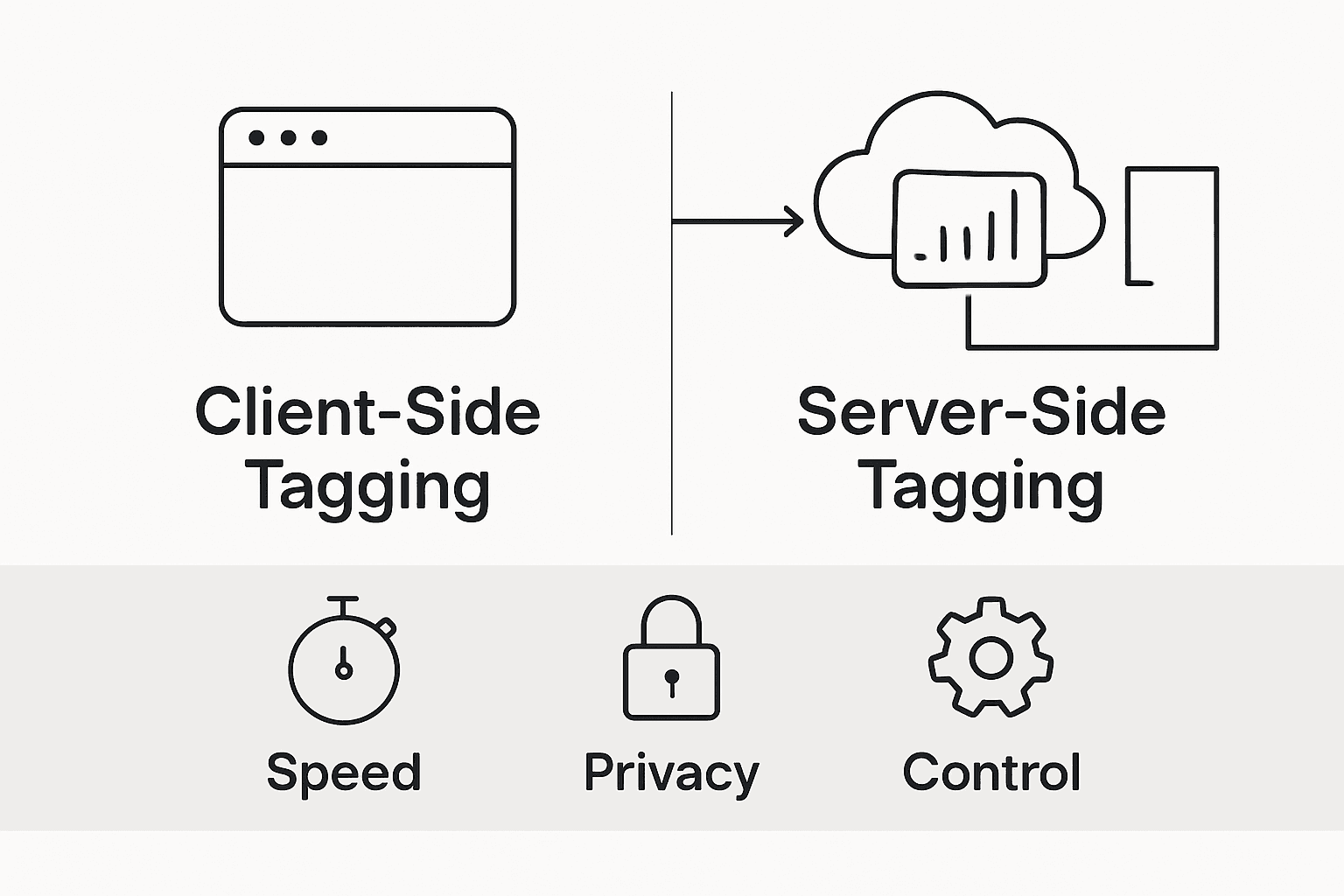
The architectural differences between client-side and server-side tracking are profound. Client-side tracking relies on JavaScript executing in the user’s browser, which means every tracking pixel, analytics script, and marketing tag must load and run before page rendering completes. This can significantly impact page load times and user experience. Server-side tracking, by contrast, moves data processing to a controlled server environment, enabling more efficient data management. By routing tracking requests through a central server, businesses can implement sophisticated data validation, implement more comprehensive consent management, and protect sensitive conversion data from potential browser-side interception.
To clarify the modes of tagging, here’s a comparison of client-side and server-side approaches:
| Aspect | Client-Side Tagging | Server-Side Tagging |
|---|---|---|
| Data Processing | In user’s browser | On secure web server |
| Impact on Performance | May slow down page load | Minimal effect on site speed |
| Resistance to Ad-Block | Easily blocked or disrupted | Largely immune to ad-blockers |
| Privacy & Compliance | Harder to enforce, browser-dependent | Easier to control, robust consent options |
| Data Security | Higher risk of interception | Centralised, better protected |
Pro Tip - Migration Strategy: When transitioning from client-side to server-side tagging, implement a parallel tracking approach that allows simultaneous data collection through both methods, enabling comprehensive validation and a smooth, risk-mitigated migration process.
Integrating GTM With Leading E-commerce Platforms
Implementing Google Tag Manager across various e-commerce platforms requires a strategic approach to tracking and data collection, enabling businesses to capture comprehensive user interaction data without invasive code modifications. Each e-commerce platform presents unique integration challenges, demanding tailored implementation strategies that leverage GTM’s flexible tag management capabilities.
Popular platforms like Shopify, WooCommerce, and Magento offer distinct integration methodologies. Implementation typically involves adding the GTM container script to the platform’s global header or footer section, which allows for seamless tag deployment. Shopify, for instance, provides dedicated sections for script insertion, making GTM integration relatively straightforward. WooCommerce users can utilise plugin extensions or manually modify theme files, while Magento offers advanced configuration options for embedding tracking scripts across different store views and website instances.
Here’s a quick reference to integration strategies for popular e-commerce platforms:
| Platform | GTM Integration Method | Configuration Complexity |
|---|---|---|
| Shopify | Script insertion in admin | Simple, user-friendly |
| WooCommerce | Plugin or theme modification | Moderate, plugin support |
| Magento | Advanced script configuration | Complex, multi-store ready |
| Custom | Manual code embedding | Requires developer input |
The complexity of GTM integration extends beyond simple script placement. Advanced tracking configurations require sophisticated tag, trigger, and variable management, enabling precise monitoring of critical e-commerce events. Businesses must configure specific triggers for key user interactions such as product page views, cart additions, checkout initiations, and purchase completions. Each platform demands nuanced approach, with custom data layer implementations often necessary to ensure accurate conversion tracking. By strategically mapping platform-specific user journey stages, organisations can create granular tracking frameworks that provide unprecedented insights into customer behaviour and purchasing patterns.
Pro Tip - Platform Compatibility: Always validate GTM container configurations across multiple browser environments and device types to ensure consistent tracking performance and data integrity across your chosen e-commerce platform.
Ensuring GDPR Compliance And Consent Management
Data protection regulations present complex challenges for digital tracking strategies, particularly within the European Union’s stringent General Data Protection Regulation (GDPR) framework. E-commerce businesses must navigate intricate consent management requirements that fundamentally transform how user data is collected, processed, and stored.
Consent management represents a critical cornerstone of GDPR compliance, requiring businesses to obtain explicit, informed permission before collecting or processing personal data. Google Tag Manager (GTM) provides sophisticated tools for implementing robust consent mechanisms, enabling organisations to configure granular user consent workflows. These mechanisms allow users to understand precisely what data will be collected, for what purpose, and provide clear opt-in or opt-out options. Businesses must design consent interfaces that are transparent, easily comprehensible, and provide users genuine control over their personal information.
Implementing comprehensive data protection strategies requires careful configuration of tracking systems to prevent unauthorized data collection. GTM offers advanced features like consent mode, which allows businesses to adjust tracking behaviour based on user consent preferences. This means tracking scripts can be selectively activated or deactivated, ensuring that only explicitly approved data collection occurs. Critical considerations include segregating necessary and optional tracking scripts, providing clear information about data usage, and maintaining detailed consent logs that demonstrate regulatory compliance.
Pro Tip - Consent Documentation: Maintain comprehensive, timestamped records of user consent interactions, including the specific consent version accepted, to provide verifiable proof of compliance during potential regulatory audits.
Maximising Conversion Accuracy And Data Security
Google Tag Manager provides a sophisticated platform for enhancing data collection accuracy and security, enabling e-commerce businesses to implement robust tracking mechanisms that minimise errors and protect sensitive user information. By centralising tag management, organisations can significantly reduce the risks associated with fragmented tracking implementations.
Version control emerges as a critical component in maintaining tracking integrity. GTM’s robust versioning system allows businesses to create, test, and rollback tag configurations, ensuring that only validated tracking scripts are deployed. This approach enables comprehensive debugging and validation processes, where each tag modification can be meticulously reviewed before going live. Organisations can create staging environments that simulate real-world scenarios, allowing thorough testing of tracking configurations without risking live data contamination.
Advanced security features within GTM enable precise control over data transmission and access. Implementing sophisticated tracking strategies requires granular permission management to prevent unauthorized data collection. Businesses can configure strict trigger conditions, implement multi-layer validation checks, and utilise server-side tagging to enhance data protection. These mechanisms ensure that only authenticated and approved tracking events are processed, significantly reducing the potential for data breaches or unintended information leakage.
Pro Tip - Security Validation: Regularly conduct comprehensive security audits of your GTM container, systematically reviewing trigger conditions, tag permissions, and data transmission protocols to identify and mitigate potential vulnerabilities.
Unlock the Full Potential of E-commerce Tracking with Advanced Tag Management
The article highlights critical challenges such as ensuring accurate data collection, managing complex tag configurations, and overcoming the limitations of traditional client-side tracking. If you are striving to capture every valuable conversion while maintaining compliance with GDPR and enhancing website performance, leveraging server-side tagging is essential. Concepts like conversion accuracy, consent management, and migrating from client-side to server-side solutions underscore the need for a robust, centralised platform that simplifies these tasks.
At AdPage we empower marketing agencies and online retailers to overcome these exact hurdles. Our platform specialises in server-side tagging, delivering reliable tracking free from ad-blocker interference and improving page load times, so your e-commerce business can fully understand customer behaviour and maximise sales. We provide seamless integration with popular platforms like Shopify, WooCommerce, and Magento, detailed reporting, and comprehensive GDPR-compliant consent tools that align perfectly with the article’s best practices.
Experience smooth onboarding and precise control over your tracking environment with AdPage’s expert solutions that turn complex tag management into competitive advantage.
Take control of your e-commerce analytics now and never miss another conversion.

Discover how easy it is to boost your conversion tracking with AdPage’s server-side tagging solutions. Start your journey towards flawless data accuracy and GDPR compliance today by visiting our platform and unlocking new insights for your online store.
Frequently Asked Questions
What is Google Tag Manager and how does it benefit e-commerce businesses?
Google Tag Manager (GTM) is a tag management system that allows e-commerce businesses to manage their tracking codes and analytics tags without modifying website code directly. It benefits e-commerce by streamlining the implementation of tracking, improving site performance, and enabling precise monitoring of customer interactions.
How can I implement event tracking in GTM for my e-commerce site?
Event tracking in GTM can be implemented by setting up tags to record specific user actions, such as product views or cart additions. You need to create triggers that define when these tags should fire, providing detailed insights into user behaviour throughout the shopping journey.
What are the advantages of server-side tagging compared to client-side tagging?
Server-side tagging processes tracking data on a secure server rather than in the user’s browser, which improves performance, enhances data privacy, and reduces the risk of ad-blocking interference. This approach allows for more efficient data management and better control over the data collection process.
How can I ensure GDPR compliance when using GTM for e-commerce tracking?
To ensure GDPR compliance, implement robust consent management mechanisms within GTM. This includes obtaining explicit permission from users for data collection, configuring consent workflows, and using GTM’s features like consent mode to adjust tagging behaviours based on user consent preferences.