


.png)

Over 50 percent of British businesses struggle with accurately tracking conversions after browser privacy updates. In an age where data fuels every digital strategy, getting server-side tracking right is crucial for compliance and marketing performance. This guide unpacks practical steps to prepare your setup, integrate systems, and ensure your Facebook tracking stays reliable and privacy-focused from the very first click.
Table of Contents
- Step 1: Prepare Your Data Sources And Permissions
- Step 2: Integrate Server For Facebook With Your E-Commerce Platform
- Step 3: Configure Server-Side Tagging And Event Tracking
- Step 4: Set Up Consent Management For Compliance
- Step 5: Verify Server-To-Facebook Data Transmission
Quick Summary
| Key Point | Explanation |
|---|---|
| 1. Prepare all necessary credentials | Ensure you have Facebook Pixel ID, access tokens, and webhooks ready before integration. |
| 2. Test configurations in staging | Validate server-side tracking settings in a test environment before going live. |
| 3. Implement robust consent management | Create a transparent system for managing user data permissions in compliance with regulations. |
| 4. Verify data transmission accuracy | Use Facebook’s tools to confirm all configured parameters correctly transmit user data. |
| 5. Map user events for tracking | Create a detailed spreadsheet to outline each user interaction and its corresponding tracking configuration. |
Step 1: Prepare your data sources and permissions
When setting up server-side tracking for Facebook, preparing your data sources and permissions is a critical initial step that ensures smooth integration and accurate conversion tracking. You will need to configure specific settings in your Facebook Business Manager and verify your data transmission parameters to guarantee precise analytics.
Start by accessing your Facebook Business Manager and navigating to the Conversions API settings. To set up server-side activity tracking effectively, you must generate an access token and confirm that your commerce platform supports server-side tracking. Pay special attention to the ‘action_source’ parameter, which specifies where conversions originated. When configuring the Conversions API, you will need to include this parameter and provide additional context like ‘client_user_agent’ if your source is a website.
Gather all necessary credentials including your Facebook pixel ID, access tokens, and webhook configurations before proceeding. Verify that your tracking permissions align with data privacy regulations and that you have consent mechanisms in place for accurate user tracking.
Professional suggestion: Always test your server-side tracking configuration in a staging environment first to validate data transmission and prevent potential tracking discrepancies before going live.
Here is a summary of the most essential parameters for Facebook server-side tracking:
| Parameter Name | Purpose | Typical Value Example |
|---|---|---|
| action_source | Identifies the origin of the conversion | ‘website’, ‘app’, ‘chat’ |
| client_user_agent | Provides browser/device context | User’s browser agent string |
| event_source_url | Specifies the page URL for conversions | Full customer-facing URL |
| pixel_id | Links data to your Facebook Pixel | Numeric Pixel ID |
| access_token | Authenticates API requests securely | Secure token string |
Step 2: Integrate server for Facebook with your e-commerce platform
Integrating your server with Facebook requires a strategic approach to connect your e-commerce platform seamlessly with Facebook’s tracking infrastructure. This process enables advanced conversion tracking and allows you to capture detailed user interaction data across your digital channels.
Meta Pixel and Conversions API extensions facilitate smooth integration by supporting dynamic ads and advanced event tracking. When integrating, you will need to configure specific settings within your e-commerce platform and Facebook Business Manager. Configuring server-side activity tracking involves generating access tokens, enabling appropriate tracking permissions, and ensuring your platform can transmit data through the Conversions API.

Each e-commerce platform will have slightly different integration steps, so consult your specific platform documentation for precise configuration instructions. Verify all webhook connections, pixel implementations, and data transmission parameters to guarantee accurate tracking.
Professional suggestion: Create a test environment to validate your Facebook server integration before deploying to production, ensuring all tracking events are captured correctly without disrupting your live website performance.
The following table highlights key benefits of using server-side tracking for e-commerce:
| Benefit | Description | Example Impact |
|---|---|---|
| Enhanced accuracy | Reduces data loss from browser restrictions | More reliable conversions |
| Improved privacy control | Easier compliance with privacy regulations | User consent managed robustly |
| Increased data scope | Enables tracking of server-logged actions | Offline events tracked |
| Greater customisation | More control over data sent to Facebook | Tailored event parameters |
Step 3: Configure server-side tagging and event tracking
Configuring server-side tagging requires a precise approach to capturing and transmitting user event data accurately through Facebook’s tracking systems. This critical step ensures your conversion tracking captures comprehensive insights about user interactions across your digital platforms.
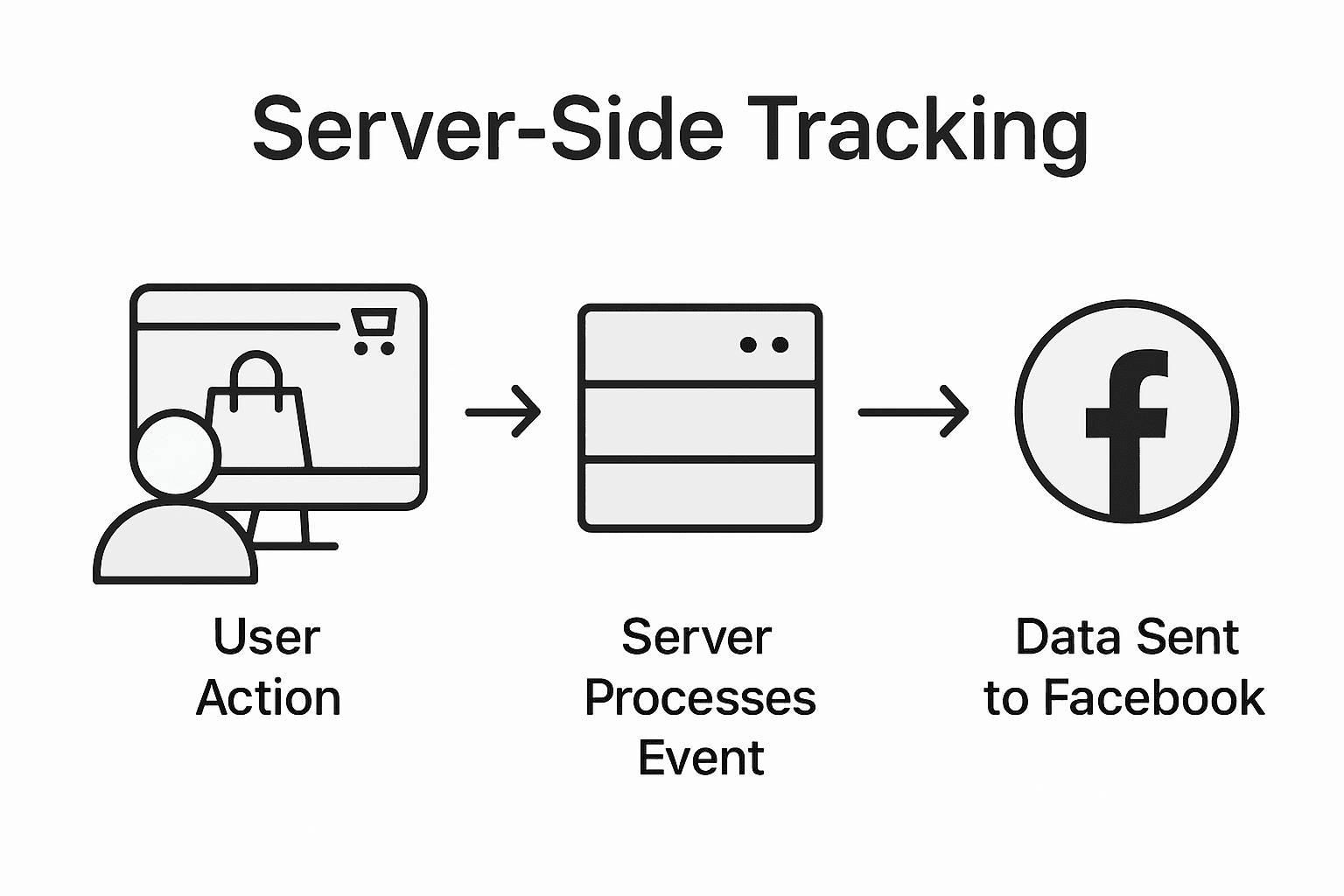
Configuring server-side event tracking involves establishing robust data transmission protocols within your e-commerce infrastructure. When implementing Facebook’s tracking mechanisms, you must pay careful attention to specific parameter requirements. Facebook’s Conversions API demands precise event configuration, including mandatory parameters like ‘action_source’ to specify conversion origins, and additional contextual details such as ‘client_user_agent’ and ‘event_source_url’ for website tracking scenarios.
Carefully map out all potential user events you wish to track, ensuring each interaction type receives appropriate tagging and data transmission protocols. This might include purchase completions, product page views, cart additions, and other significant customer journey touchpoints.
Professional suggestion: Create a comprehensive event mapping spreadsheet detailing each tracked interaction, its corresponding server-side tag configuration, and expected data transmission parameters to maintain clarity and consistency in your tracking setup.
Step 4: Set up consent management for compliance
Consent management represents a critical framework for ensuring your data tracking practices respect user privacy and adhere to stringent legal requirements. Your goal is to implement a robust system that transparently manages user data permissions while maintaining seamless tracking capabilities.
Meta Pixel and Conversions API extensions provide essential tools for configuring tracking settings that align with privacy regulations. When implementing Facebook’s tracking mechanisms, you must carefully configure consent management to reflect user preferences accurately. Configuring the Conversions API requires meticulous attention to consent parameters, ensuring that each data collection point respects user choices and legal frameworks.
Develop a comprehensive consent management strategy that includes clear user notifications, granular permission settings, and transparent data usage explanations. Implement mechanisms that allow users to easily view, modify, and withdraw their consent at any point, providing complete control over their personal information.
Professional suggestion: Create a consent management flowchart that maps out every potential user interaction point, detailing exactly how consent is requested, recorded, and respected throughout your tracking infrastructure.
Step 5: Verify server-to-Facebook data transmission
Verifying your server-to-Facebook data transmission is a critical final step that ensures your tracking setup functions precisely and captures accurate conversion data. This verification process will confirm that all configured parameters are correctly transmitting user interaction information to Facebook’s tracking systems.
Configuring server-side activity tracking requires meticulous verification within your Facebook Business Manager account. Detailed parameter validation demands checking specific elements like ‘action_source’, ‘client_user_agent’, and ‘event_source_url’ to guarantee comprehensive and compliant data transmission.
Utilise Facebook’s debugging tools and event testing interfaces to simulate different user interactions and confirm that each event type transmits correctly. Cross reference the data captured in your Facebook Business Manager with your internal tracking logs to identify any potential discrepancies or missing information.
Professional suggestion: Create a comprehensive tracking verification checklist that systematically tests each event type, consent scenario, and data transmission pathway to ensure absolute reliability in your server-side tracking implementation.
Unlock Precise Conversion Tracking with Server-Side Solutions
If you are tackling challenges like data loss due to browser restrictions, incomplete consent management, or unreliable event tracking, you are not alone. Setting up a server for Facebook tracking demands careful attention to parameters such as action_source, client_user_agent, and consent compliance to truly capture every conversion. These pain points can hold back your marketing efforts and cloud your analytics.
AdPage provides a powerful platform tailored for e-commerce businesses and marketing agencies looking to bridge these exact gaps. With advanced server-side tagging, built-in consent management, and seamless integration with popular platforms like Shopify and WooCommerce, AdPage ensures you collect reliable, GDPR-compliant data to optimise your campaigns. Experience the confidence of monitoring 100% of your conversions without disruption.

Take control of your Facebook conversion tracking now. Visit AdPage to discover how our comprehensive tools and onboarding services can transform your data strategy. Don’t let fragmented tracking hold back your growth – explore how to set up server-side activity tracking with ease and start capturing every valuable user interaction today. Get started with AdPage and drive measurable results.
Frequently Asked Questions
What are the initial steps to prepare for server-side tracking on Facebook?
To prepare for server-side tracking on Facebook, you need to access your Facebook Business Manager and navigate to the Conversions API settings. Start by generating an access token, gathering your Facebook pixel ID, and ensuring your e-commerce platform supports server-side tracking.
How do I integrate my server with Facebook for enhanced conversion tracking?
Integrating your server with Facebook involves configuring specific settings within your e-commerce platform and the Facebook Business Manager. Generate access tokens, enable tracking permissions, and verify the webhook connections to ensure accurate data transmission.
What parameters do I need to configure for tracking events on Facebook?
For tracking events on Facebook, you must configure specific parameters such as ‘action_source’, ‘client_user_agent’, ‘event_source_url’, ‘pixel_id’, and ‘access_token’. Each parameter requires careful attention to detail in order to ensure accurate user interaction tracking.
How can I ensure my server-to-Facebook data transmission is working properly?
You can verify server-to-Facebook data transmission by using Facebook’s debugging tools to simulate user interactions. Validate that each configured event type transmits correctly by cross-referencing data in your Facebook Business Manager with your internal tracking logs.
What should I consider when setting up consent management for compliance?
When establishing consent management, ensure that you create transparent user notifications, granular permission settings, and clear explanations of data usage. Implement mechanisms that allow users to manage their consent easily and ensure compliance with data privacy regulations.
How can testing in a staging environment benefit my server-side tracking setup?
Testing in a staging environment allows you to validate your server-side tracking configuration without impacting your live website. This helps to prevent potential tracking discrepancies and ensures that all user interactions are accurately captured before going live.