


.png)

More than 80 percent of British e-commerce businesses report challenges with accurate event tracking in Google Analytics. If you rely on clear data for smart decisions, even a small misstep can lead to lost revenue and wasted ad spend. This guide breaks down every step for British brands, showing you how to set up reliable event tracking so you can finally trust your numbers and understand your customers better.
Table of Contents
- Stage 1: Prepare Your Google Analytics Environment For Event Tracking
- Stage 2: Implement Tracking Codes Using Server-Side Tagging Solutions
- Stage 3: Configure Custom Events To Capture Detailed User Actions
- Stage 4: Integrate Event Tracking With Your E-Commerce Platform
- Stage 5: Verify Event Tracking Accuracy And Resolve Discrepancies
Quick Summary
| Important Insight | Explanation |
|---|---|
| 1. Establish a consistent event naming structure | Develop a standardised naming convention for events to align with key customer journey stages, such as product views and purchases. |
| 2. Implement server-side tracking for better data privacy | Configuring server-side tagging helps capture user interactions reliably while overcoming limitations like ad blockers and privacy tools. |
| 3. Use custom events for detailed analysis | Custom event tracking enables you to capture nuanced user interactions, enhancing your understanding of customer behaviour and conversion paths. |
| 4. Validate tracking configurations rigorously | Consistently verify event tracking accuracy by cross-referencing data streams and using Google Analytics debugging tools to identify inconsistencies. |
| 5. Integrate tracking with e-commerce functionality | Seamlessly connecting your analytics with your e-commerce platform ensures comprehensive data capture of all meaningful user interactions. |
Stage 1: Prepare your Google Analytics environment for event tracking
Setting up your Google Analytics environment for robust event tracking requires strategic preparation and precise configuration. The goal is to create a tracking framework that captures critical user interactions across your e-commerce platform with precision and clarity.
Start by accessing your Google Analytics account and navigating to the admin section. Your primary objective is to establish a consistent event tracking structure that allows granular analysis of user behaviour. Comprehensive tracking guidelines recommend developing a standardised naming convention for events that reflects your specific business metrics. This means creating event categories that align with key customer journey stages such as product views, cart additions, checkout initiations, and purchase completions.
To ensure accurate data collection, configure your Google Tag Manager to map specific user actions to corresponding events. This involves creating triggers that capture precise moments like button clicks, form submissions, or page interactions. Pro tip: test each event configuration thoroughly to verify data transmission before going live. A misconfigured tracking setup can lead to incomplete or misleading analytics insights.
Your next step will involve validating the event tracking implementation and preparing to analyse the incoming data streams in your Google Analytics dashboard.
Stage 2: Implement tracking codes using server-side tagging solutions
Implementing server-side tracking codes represents a sophisticated approach to capturing user interactions while maintaining data privacy and reliability. Your objective is to establish a robust tracking mechanism that transcends traditional client-side limitations.
Server-side tagging offers superior tracking capabilities by routing data through your server before transmission to analytics platforms. Flexible tracking solutions enable precise event capture even when client-side scripts encounter potential blocking from browser extensions or privacy tools. This approach allows you to create more resilient tracking configurations that capture comprehensive user journey data without compromising user experience.

To begin implementation, configure your server-side infrastructure to receive and process tracking events. This involves setting up API endpoints that can securely capture and validate user interaction data before forwarding it to your chosen analytics platforms. Advanced server-side tracking strategies provide enhanced data accuracy by eliminating common tracking challenges such as ad blocker interference and incomplete session tracking.
Pro tip: Always validate your server-side tracking configuration by comparing data streams between client-side and server-side methods to ensure complete and consistent data capture. Your next stage will involve detailed configuration and testing of these sophisticated tracking mechanisms.
Stage 3: Configure custom events to capture detailed user actions
Custom event tracking transforms your analytics from generic data collection to a precise map of user interactions within your e-commerce platform. Your goal is to design an event tracking strategy that reveals nuanced insights about customer behaviour and conversion pathways.
Comprehensive event tracking methodologies distinguish between different event types including automatically collected events, enhanced measurement events, and fully customised events. This granular approach allows you to create specific tracking parameters that align perfectly with your unique business objectives. For an e-commerce platform, this might include tracking micro-interactions like product page scrolling, wishlist additions, colour or size selections, and abandoned cart moments.
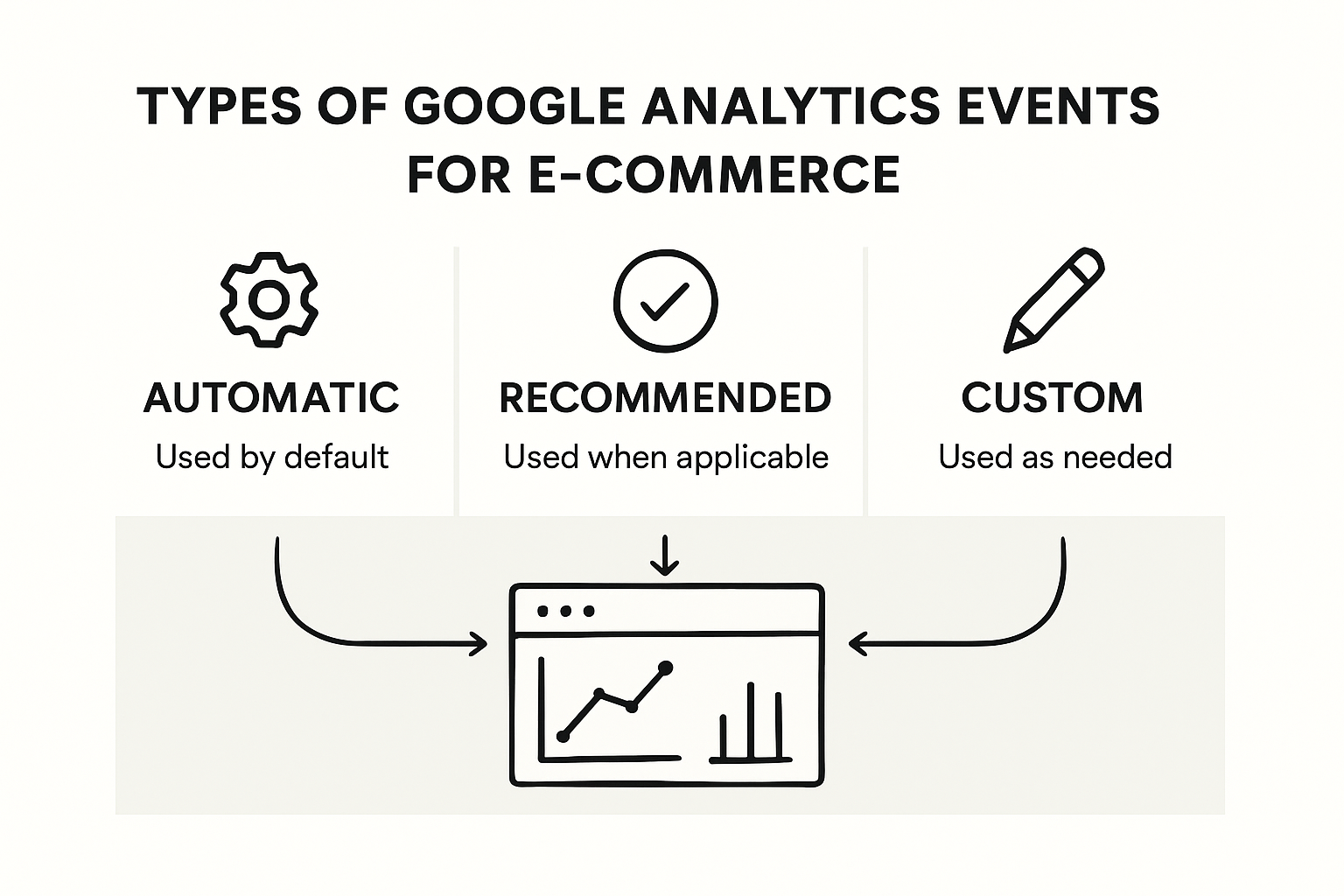
To implement these custom events, navigate to your Google Analytics 4 interface and utilise the event configuration tools. Each event should be meticulously defined with clear parameters that capture meaningful user actions. Strategic event tracking techniques enable you to map complex user journeys by establishing events that track not just purchases, but the entire consideration and decision making process.
Pro tip: Test each custom event configuration thoroughly by simulating user interactions and verifying that data streams are capturing the exact behaviours you intend to analyse. Your next stage will involve interpreting these rich, granular datasets to drive meaningful business insights.
Stage 4: Integrate event tracking with your e-commerce platform
Successfully integrating event tracking requires a strategic approach that connects your analytics infrastructure directly with your e-commerce platform’s core functionalities. Your primary objective is to create a seamless data flow that captures every meaningful user interaction without disrupting the customer experience.
Advanced tracking integration techniques enable you to modify your platform’s data transmission protocols, ensuring comprehensive event capture across multiple touchpoints. This involves implementing server-side tracking mechanisms that can intercept and log critical user actions such as product views, cart additions, purchase completions, and payment process interactions. By utilising sophisticated tracking plugins, you can overcome common challenges like ad blocker interference and ensure more reliable data collection.
To achieve robust integration, configure your Google Tag Manager to communicate directly with your e-commerce platform’s backend systems. Comprehensive tracking solutions recommend establishing webhook connections and custom data layer events that provide granular insights into user behaviour. This approach allows you to track not just transactional data, but the entire customer journey from initial product exploration to final purchase.
Pro tip: Always validate your tracking configuration by comparing server-side and client-side data streams to identify and resolve any potential discrepancies. Your next stage will involve analysing these intricate data patterns to derive actionable business intelligence.
Stage 5: Verify event tracking accuracy and resolve discrepancies
Verifying the precision of your event tracking is crucial to ensuring the reliability of your analytics data. Your mission is to meticulously validate every tracking configuration and resolve any potential inconsistencies that could compromise your understanding of user behaviour.
Systematic event tracking validation procedures emphasise establishing a consistent naming convention and implementing rigorous approval processes. This involves cross-referencing server-side and client-side data streams, examining event parameters, and identifying any anomalies that might indicate tracking errors. Pay close attention to metrics like event frequency, trigger conditions, and data transmission accuracy across different user interactions and platforms.
Utilise Google Analytics 4 debugging tools to perform comprehensive tracking diagnostics. Advanced tracking verification techniques recommend reviewing real-time event reports, configuring custom dimensions, and comparing data collected through different tracking mechanisms. This granular approach allows you to pinpoint subtle discrepancies that might otherwise go unnoticed and could potentially skew your analytical insights.
Pro tip: Create a dedicated testing environment where you can simulate various user scenarios and validate event tracking without risking your production data. Your next stage will involve transforming these verified tracking insights into actionable business intelligence.
Unlock the Full Potential of Your E-Commerce Event Tracking
Mastering event tracking in Google Analytics requires overcoming challenges like data loss, ad blocker interference, and incomplete session capture. If you’re determined to gain granular insights into every customer interaction and ensure your data accurately reflects user behaviour across your e-commerce platform, then enhancing your tracking setup is essential. Key concepts such as server-side tagging, custom event configuration, and comprehensive validation are critical steps described in the article, but implementing them effectively can be complex and time-consuming.

Take control of your conversion tracking today with AdPage’s powerful server-side tagging solutions. Designed specifically for marketing agencies and online marketers, AdPage ensures 100% conversion monitoring by circumventing common client-side limitations and privacy barriers. Seamlessly integrate with top e-commerce platforms like Shopify, WooCommerce, and Magento to capture every meaningful user event without disruption. Don’t let tracking inaccuracies hold back your growth. Visit AdPage now to optimise your analytics infrastructure and transform raw data into actionable insights that drive real business results.
Frequently Asked Questions
How do I prepare my Google Analytics environment for event tracking?
To prepare your Google Analytics environment for event tracking, start by establishing a consistent naming convention for your events. Create event categories that reflect the key stages of the customer journey, such as product views and purchase completions.
What steps are involved in implementing server-side tagging for tracking events?
Implementing server-side tagging involves configuring your server to receive and process tracking events securely. Set up API endpoints that can capture user interactions before sending the data to your analytics platforms.
How can I configure custom events to track specific user actions?
To configure custom events, use the event configuration tools in your Google Analytics 4 interface. Define each event with clear parameters to capture meaningful user actions, such as product page scrolling or wishlist additions.
What should I do to verify the accuracy of my event tracking?
To verify the accuracy of your event tracking, cross-reference server-side and client-side data streams for inconsistencies. Use debugging tools to check event frequency and transmission accuracy, ensuring reliable analytics data.
How do I integrate event tracking with my e-commerce platform?
Integrating event tracking requires modifying data transmission protocols within your e-commerce platform. Set up server-side tracking mechanisms to log critical user actions like cart additions and purchase completions effectively.
What common issues might I face with event tracking in Google Analytics?
Common issues with event tracking include misconfigured triggers that lead to incomplete data capture and discrepancies between client-side and server-side data. Regularly validate your configurations and test user interactions to identify and resolve these issues.